
Understand what the two labels actually describe
IPTV means television delivered using internet protocol. The term describes a delivery method, not a licensing status, channel lineup, or quality level. A managed television service from an established operator and an application that reads a playlist can both involve internet-based delivery while offering very different customer experiences. Evaluate the actual business and subscription terms instead of assuming that the word IPTV guarantees particular programs or a specific legal arrangement.
Cable television typically arrives through an operator's network and may involve a set-top box, a provider application, or a combination. Packages vary by address, promotion, and operator. Some households value familiar channel numbers and one support contact for several services; others prefer the device flexibility of an internet-based setup. List the practical differences for your own address and devices before deciding that either category is automatically cheaper or easier.
Start with the complete annual cost
Collect a current cable quote that identifies the total programming price, equipment charges, installation, taxes, and any promotional end date. Read the details for regional sports, broadcast-related charges, and optional premium packages. Ask what the bill becomes after the introductory period. The FCC has addressed how separate programming-related fees complicate comparisons, which is a good reason to use the complete written quote rather than the largest number on an advertisement.
For the internet option, include the service plan, any paid player activation, streaming hardware, and additional broadband costs. If you already need broadband for work, do not automatically assign the entire internet bill to television. Instead, calculate the difference between the broadband plan you would keep anyway and any upgrade required for viewing. Use the same time period for both options and keep one-time equipment purchases separate from recurring charges.
Compare current screen plans or follow the installation guide.
Use the published drago iptv prices consistently
The listed single-screen US plans are $14,00 for one month, $30,00 for three months, $44,00 for six months, and $67,00 for twelve months. Dividing the bundle price by its stated term gives $10,00 per month for the three-month option, approximately $7,33 for six months, and approximately $5,58 for twelve months. These monthly equivalents explain the bundle price; they do not mean the annual package is paid in monthly installments.
Only the twelve-month plan includes one extra month. When comparing promotional value, make clear whether the calculation uses the paid twelve-month term or all thirteen months of access. Do not quietly switch the denominator between providers. For more than one concurrent screen, use the actual multi-screen matrix rather than multiplying a single-screen annual figure and presenting that result as the offered price. Check the displayed currency and total before payment.
Build a channel checklist around actual viewing
Write down ten programs, networks, or categories that your household would genuinely miss. Include local news, children's programming, language preferences, and the particular sports competitions you follow. Ask each provider about those items in your location and subscription tier. A headline catalog total is useful context, but it cannot replace checking the programs that determine whether the subscription is worthwhile for you.
The supplied drago iptv catalog figures are 35.000+ live channels, 142.000+ movies and series on demand, and 1.000+ round-the-clock channels. Catalogs can change, and these counts do not establish rights to a particular event or guarantee that a specific US local station is included. Ask about the current lineup and authorized availability before ordering. For cable, use the address-specific channel list and check whether desired networks sit in an additional tier.
Treat sports rights, local stations, and blackouts as separate questions
A broad sports category does not answer whether a particular game is available in your area. Rights can differ by league, competition, market, broadcaster, and season. Local blackouts and territorial restrictions may affect legitimate services. Check the event schedule with the rights holder or broadcaster, then ask the provider how its offering corresponds to that availability. Do not treat a promotional image of a team or league as proof of an included live feed.
Local programming is similarly specific. A national news channel does not replace your local affiliate's weather coverage or community reporting. Households that value local broadcasts may want to explore an over-the-air antenna alongside their other services, subject to reception at the address. Compare the resulting combination with the cable package you would otherwise buy. The best budget can involve several tools, but additional subscriptions and devices should appear in the cost worksheet.
Compare convenience on every television in the house
Cable users may already have a familiar remote and guide. Moving to an app changes the path from turning on the television to finding a program. Test that path on the actual device, particularly for family members who prefer a simple interface. Check text size, favorites, subtitle controls, audio selection, and how easily someone can return to live television after opening another app.
With an IPTV player, compatibility depends on the device operating system and the app available for it. A Smart TV, Fire TV Stick, phone, and computer may require different players or licenses. Confirm the maximum simultaneous connections and whether the account terms permit the locations you need. Installing the application on six devices does not by itself mean six people may watch at once. Keep player charges separate from service charges when estimating the cost of additional rooms.

Compare current screen plans or follow the installation guide.
Evaluate network dependence during busy hours
Internet television depends on the quality of the connection at the viewing device. A high advertised broadband speed cannot compensate for weak Wi-Fi in the bedroom or repeated router dropouts. Test when the household is busiest, including evenings when several people stream, game, or join calls. Where supported, compare Ethernet with Wi-Fi to identify whether a local wireless issue is causing buffering.
Use the service's planning guidance of 10 Mbps for HD and 25 Mbps for 4K as starting points, then allow headroom for concurrent activity and stream variation. Ask your internet provider about data allowances and any relevant charges. Cable service can also experience outages, so avoid assuming either delivery method is infallible. Consider how support handles outages and what alternatives your household needs if television or broadband is temporarily unavailable.
Examine recording and catch-up expectations
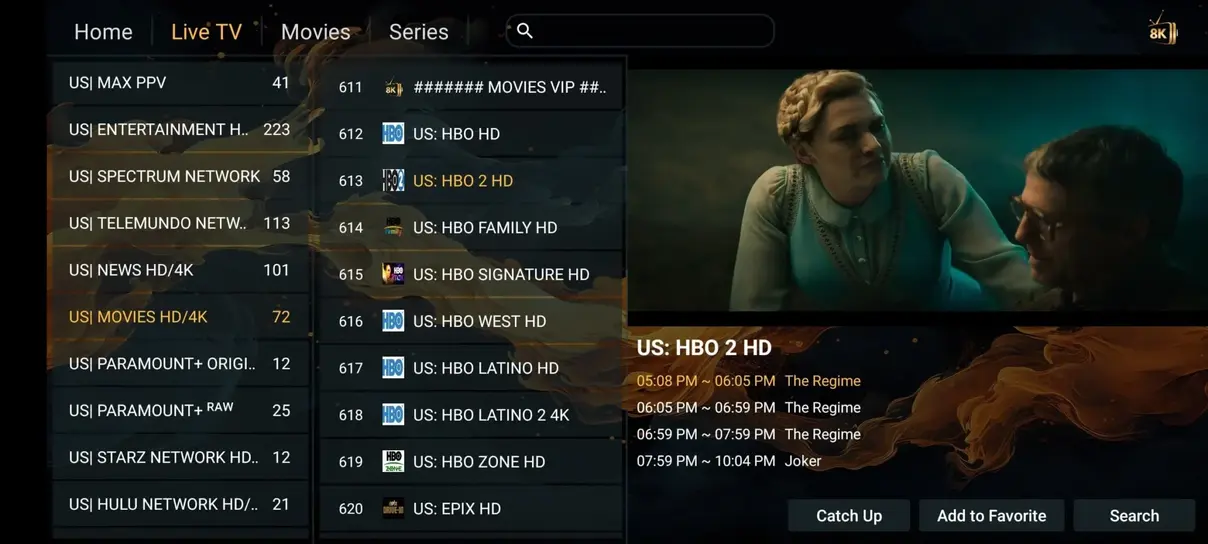
A program guide displays scheduling information; it is not the same as a recording library. Catch-up availability depends on the service, channel, time window, and rights. A player may show a replay icon even when a specific program is unavailable. Ask which channels support catch-up and how long programs remain accessible, then test a program you missed rather than only checking that the menu exists.
Cable DVR features also vary by package, equipment, and storage allowance. Compare simultaneous recordings, retention limits, out-of-home playback, and any extra monthly cost. If your household often pauses live events or watches several episodes later, these details may matter more than the largest on-demand catalog. Write the desired behavior as a plain sentence, such as watching yesterday's local bulletin on the bedroom TV, and ask both providers whether that exact use is supported.
Check the business terms before switching
Read cancellation, renewal, refund, and support policies before paying. Confirm whether a quoted price is prepaid, recurring, promotional, or subject to an additional app fee. Save the written terms and receipt. If a provider advertises a money-back window, check how to request it, when the window begins, and whether any exceptions apply. A low initial cost offers little reassurance if the purchasing process is unclear.
Content authorization is another separate check. The presence of a functioning player does not prove that the distributor has permission to offer every listed program. The US Copyright Office explains that copyright protection applies to digital material; being online does not make content automatically free to distribute. Ask the service about authorized availability and choose lawful sources. This comparison does not establish the licensing status of an individual channel or replace advice about a specific legal situation.
Run a short overlap period and keep a cancellation record
If practical, test the proposed setup before canceling the existing service. Use the household checklist across several normal viewing sessions and record problems rather than relying on one successful demo. Verify important channels, the guide, simultaneous screens, and support contact methods. Check whether cancellation affects an internet bundle discount or requires equipment returns. A surprise broadband price increase can change the apparent savings.
When you decide to switch, request a written cancellation confirmation and follow the old provider's return instructions. Keep tracking information and equipment receipts. Review the next bill for unexpected charges. For the new setup, store account details securely and note the renewal date and screen allowance. This process turns a broad IPTV-versus-cable debate into a documented decision based on your costs, your programs, and the way your household actually watches television.